


Installation
Follow these steps to get Alone running on a fresh WordPress site.
Step 1 — Upload the theme
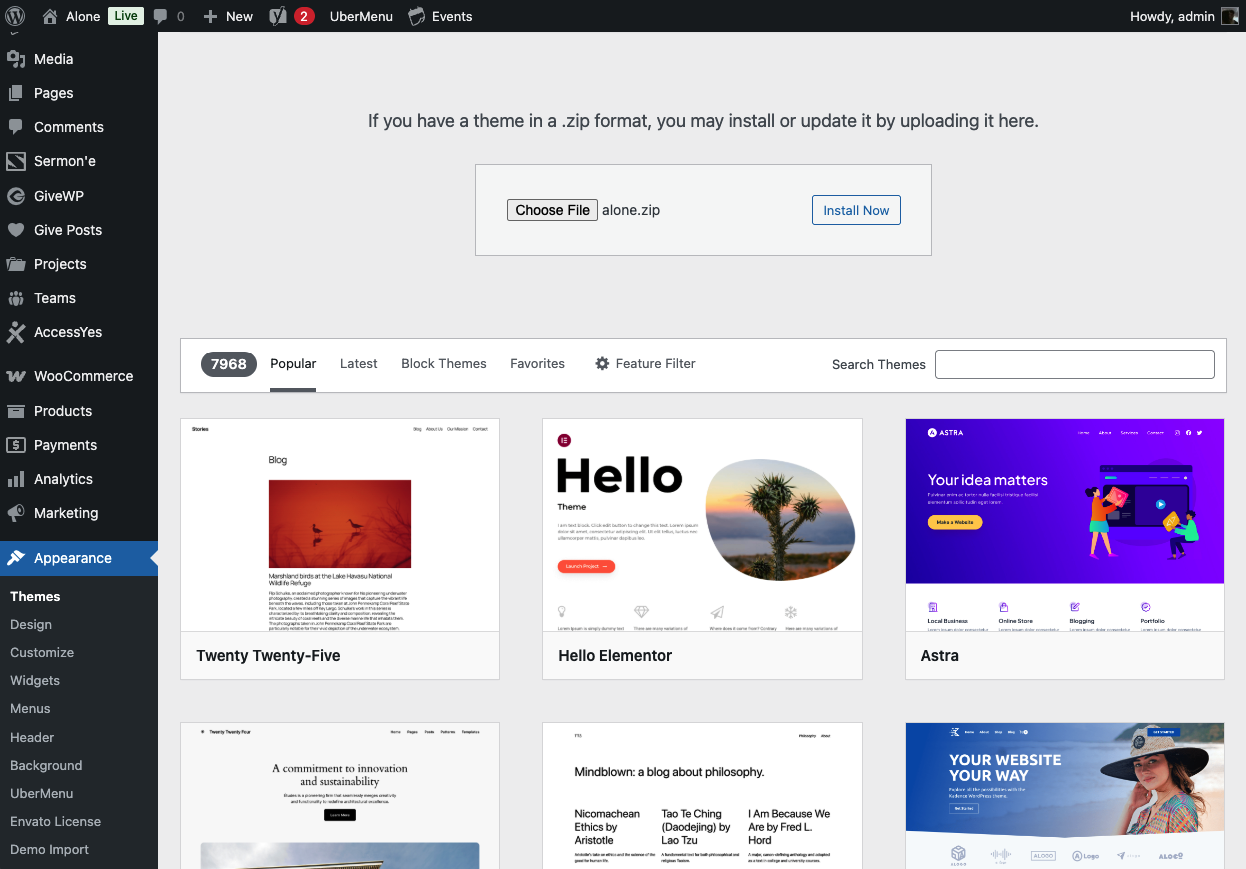
- Download the latest
alone.zipfrom your purchases. - In WordPress Admin, go to Appearance → Themes → Add New.
- Click Upload Theme, choose the alone.zip file, and press Install Now.
- Activate the theme once installation completes.
Step 2 — Activate your license
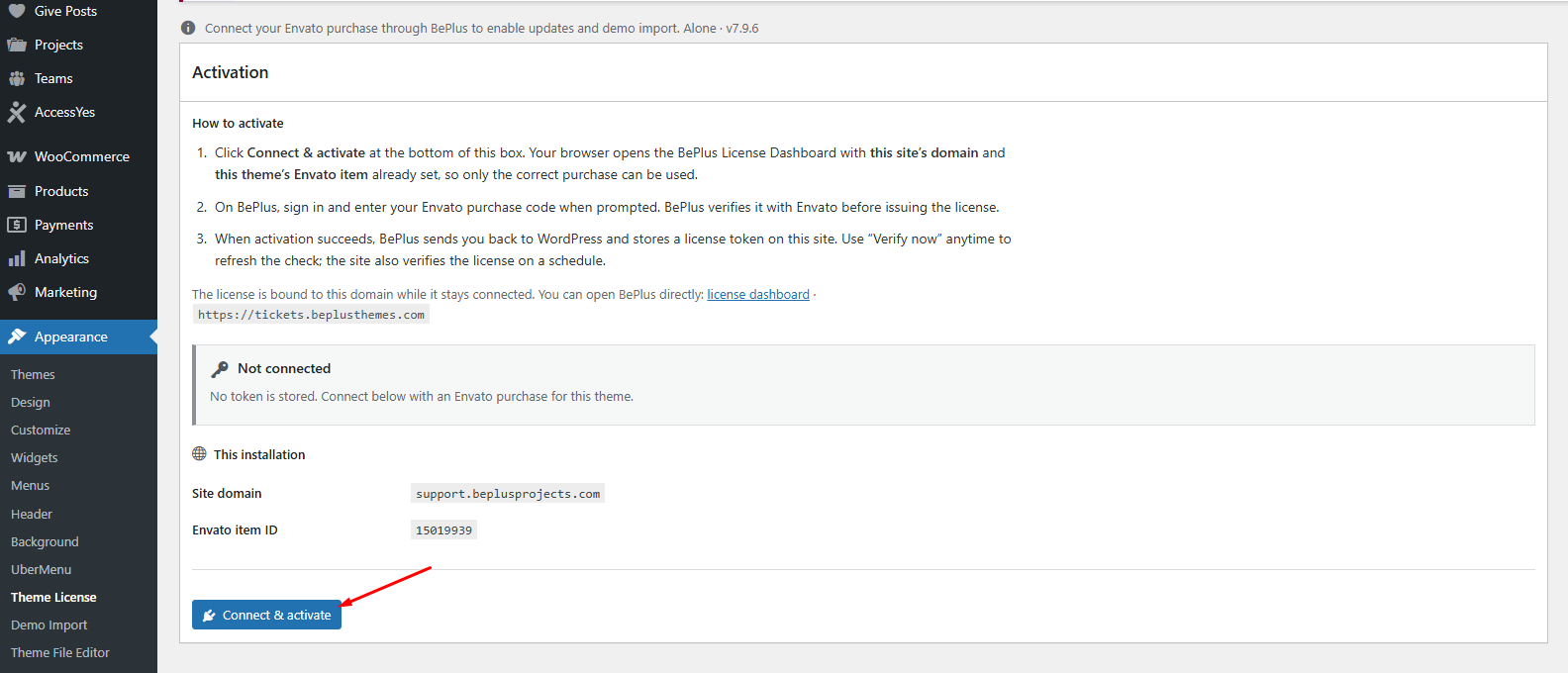
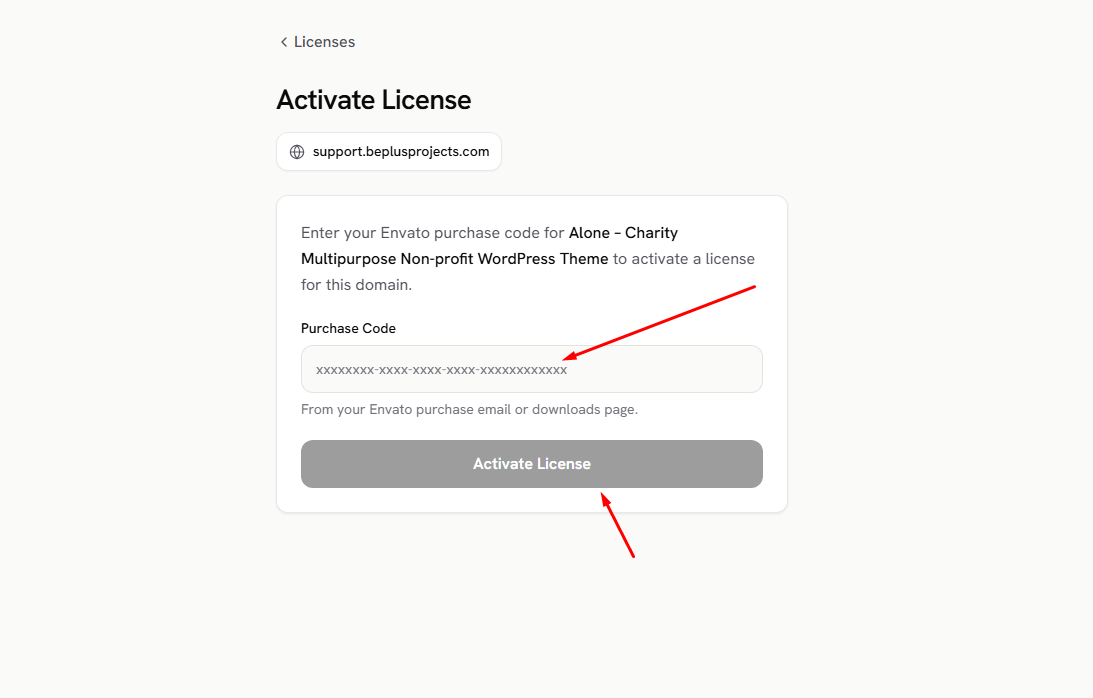
- In WordPress Admin, go to Appearance → Theme License.
- Paste your purchase code and click Activate.
Step 3 — Install required plugins
After activation, Alone will prompt you to install companion plugins for demo import and performance tweaks.
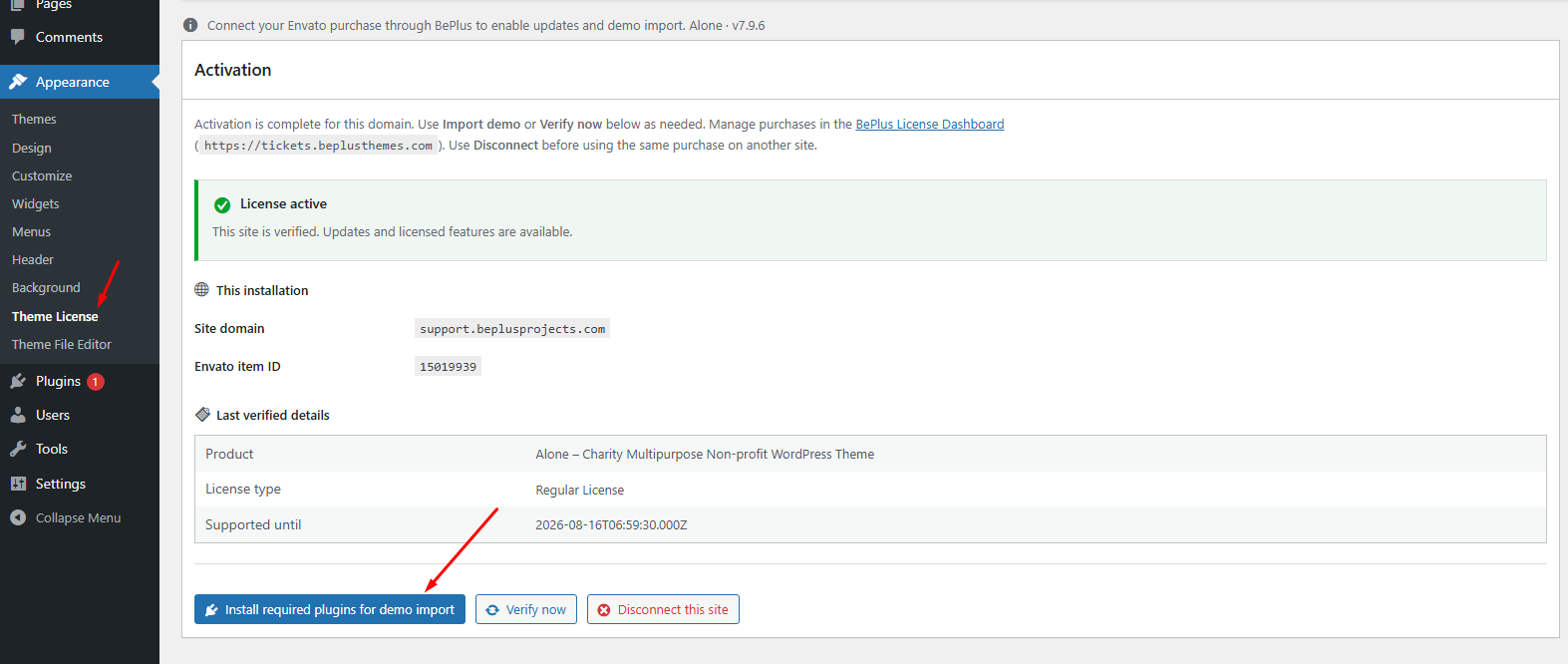
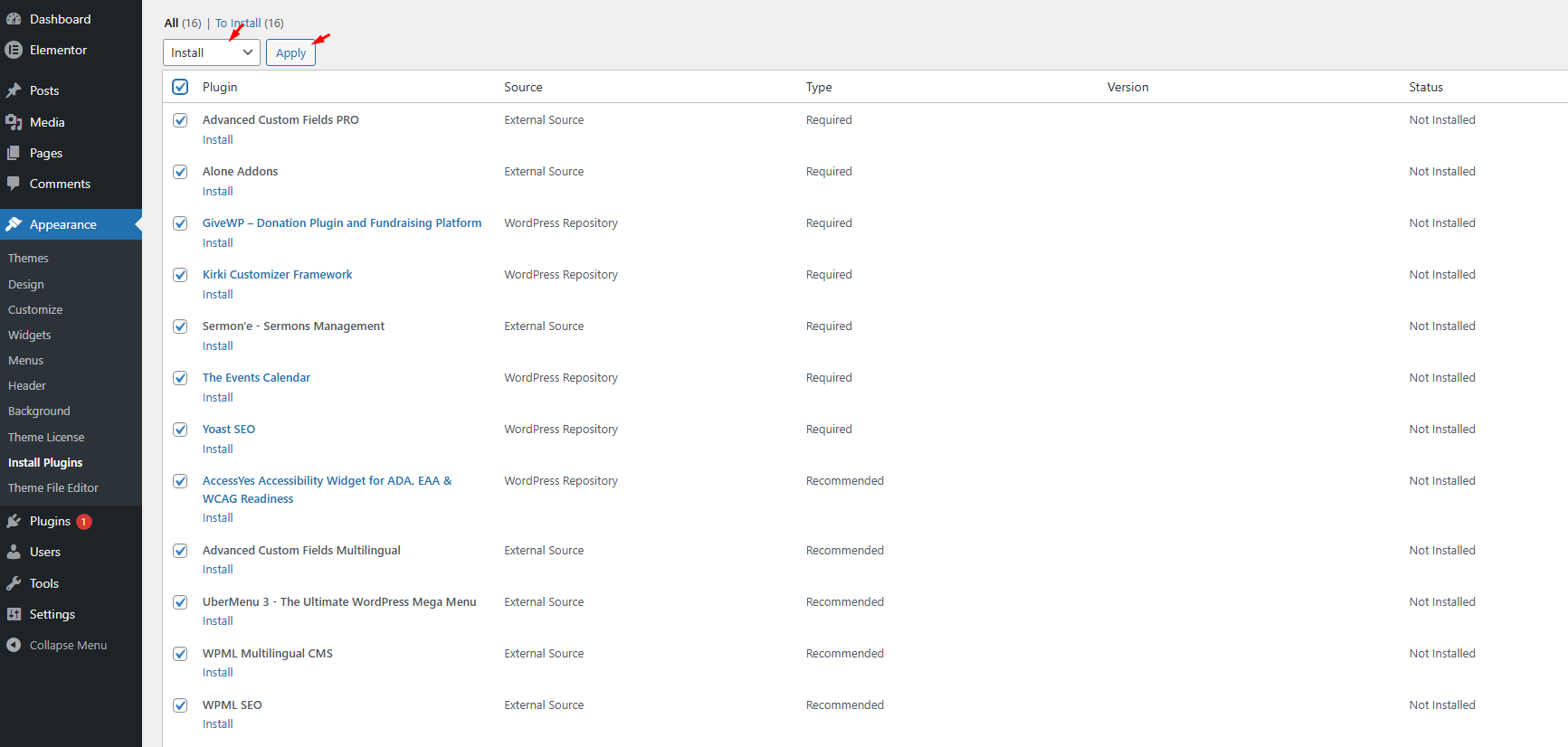
Do not skip required plugins. They supply page builder blocks, demo content, and performance optimizations that the theme expects.