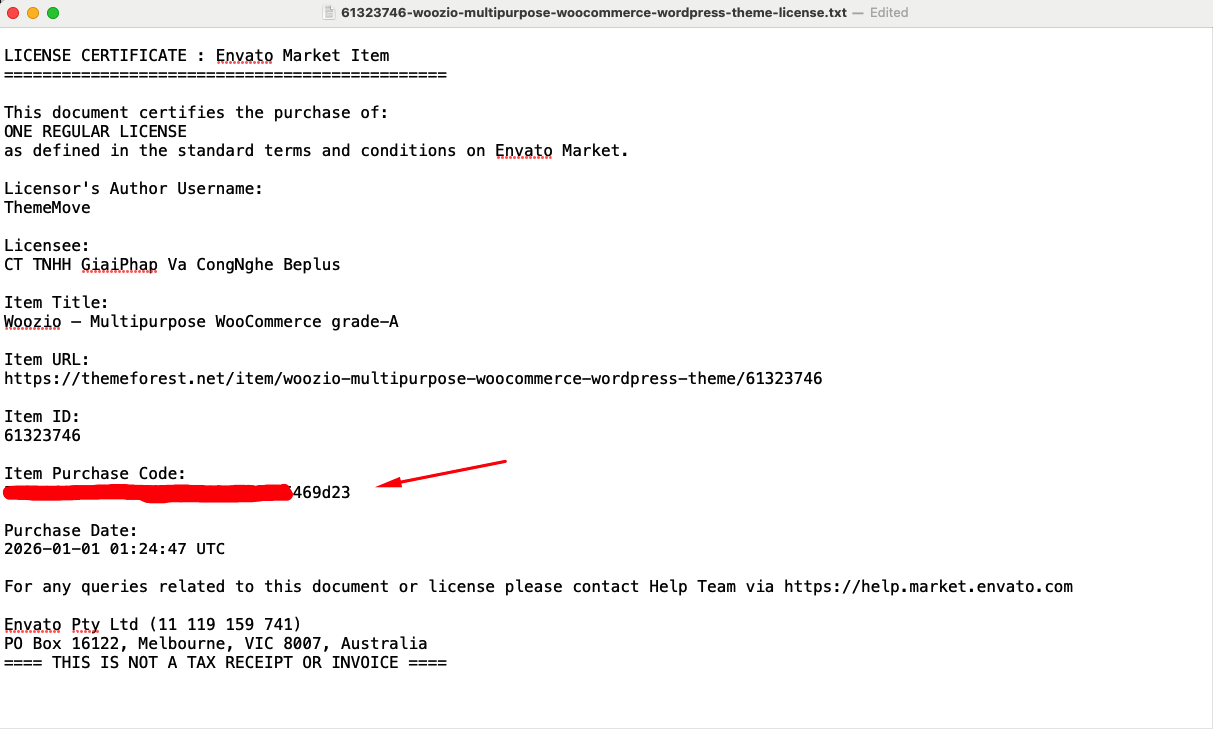


How to Get Your Purchase Code from ThemeForest
Step 1: Log In
Go to ThemeForest and log into your account. After logging in, navigate to the Downloads section.
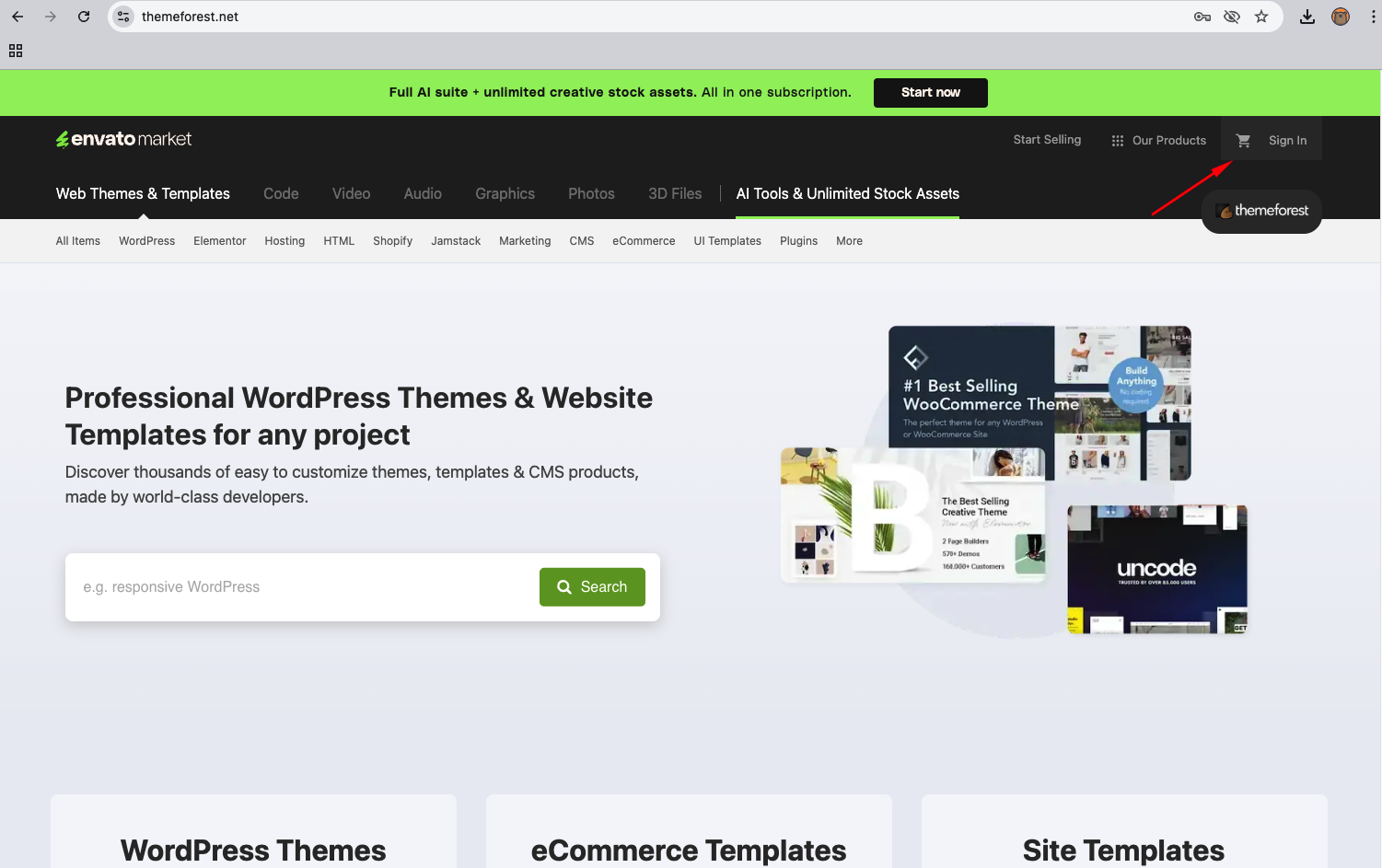
Step 2: Download License
In the list of purchased items, find the item you want to get the license for. Click the Download button next to the item. Select "License certificate & purchase code (text)".
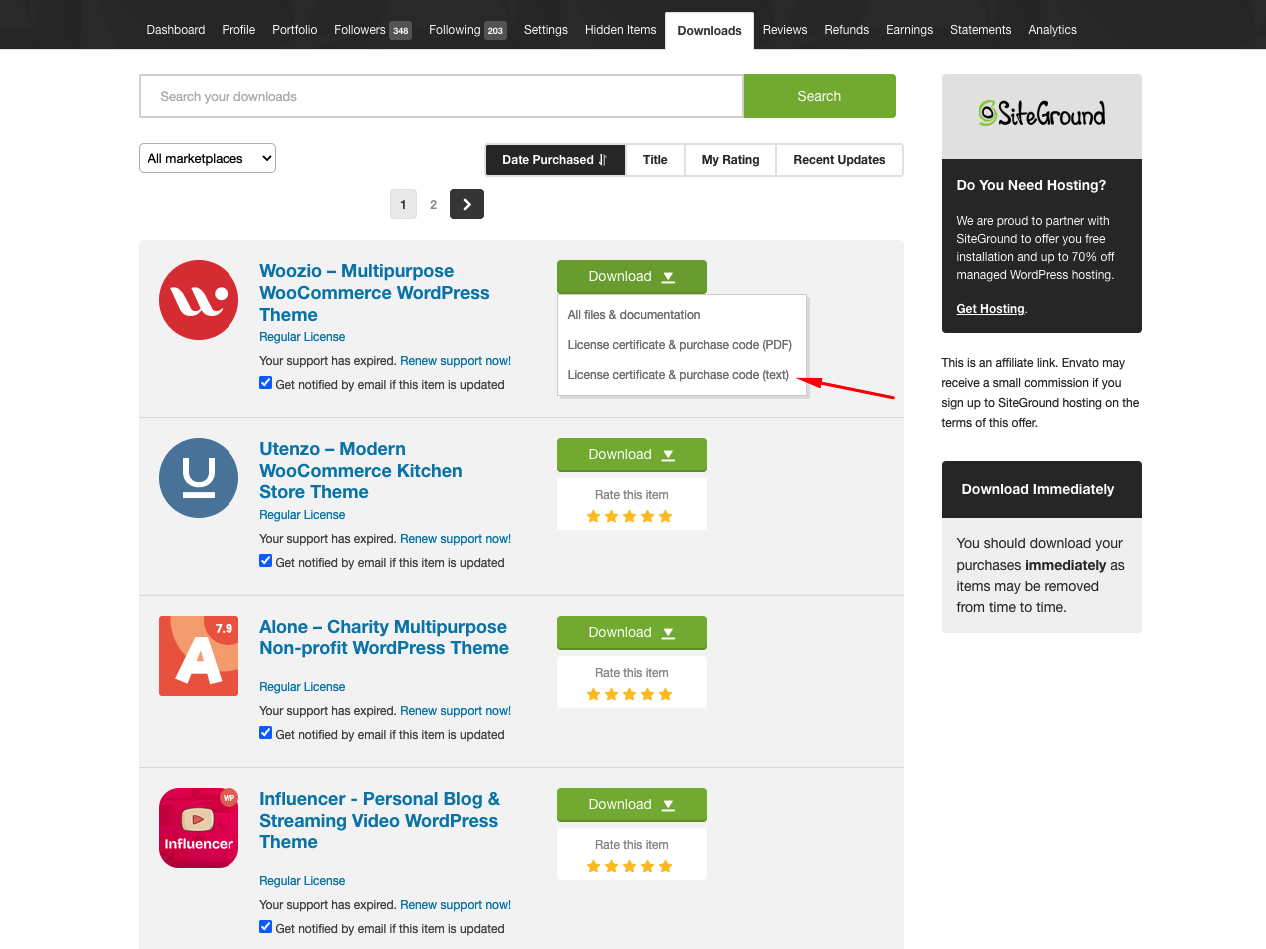
Step 3: Get the Purchase Code
Open the downloaded .txt file. Find the line labeled Item Purchase Code and copy the code for your product registration.