


Welcome to Somnia Documentation
Introducing
Somnia – Mattress & Cushion Bedding WooCommerce WordPress Theme.
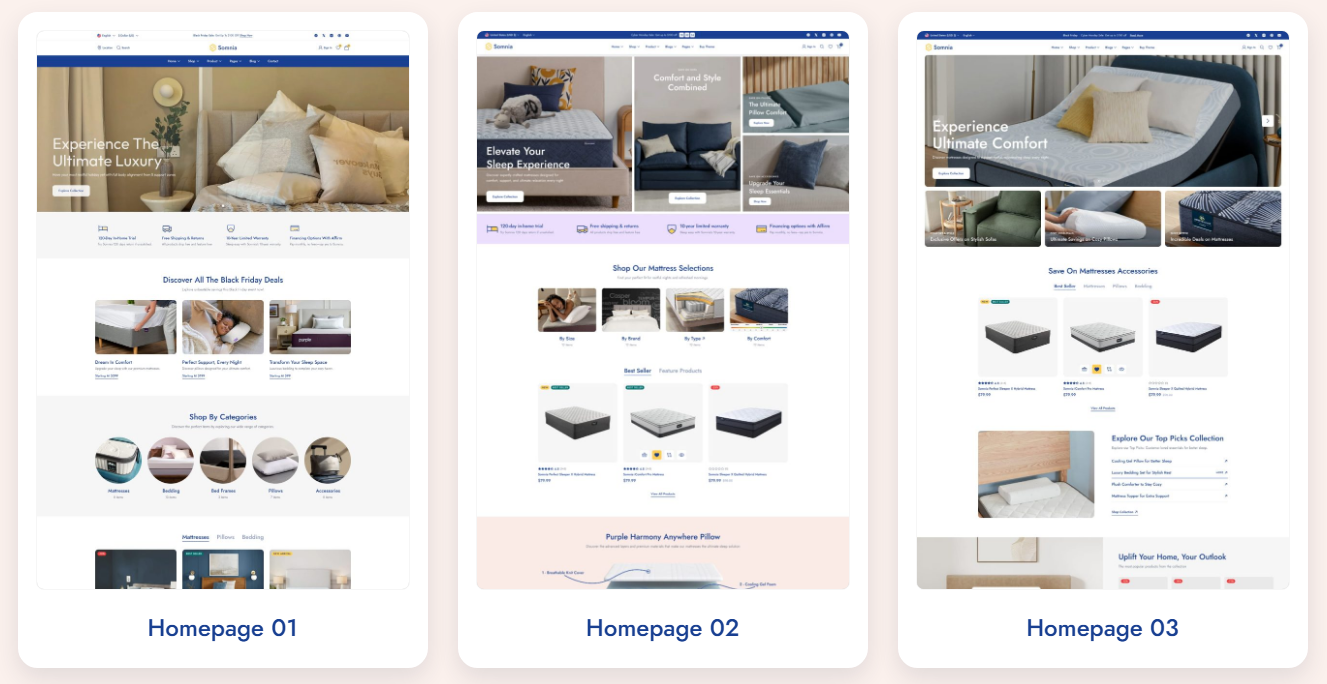
Key Features of Somnia
-
Enhanced Performance for Smooth Shopping.
-
Specialized Tools for Bedding Retailers.
-
Reliable Support with Consistent Updates.
-
Speed & SEO Optimized: The clean source code ensures lightning-fast loading speeds and high Google PageSpeed scores, helping you rank better and convert more visitors.
-
Conversion-Focused Design: Every layout and element is designed with conversion optimization in mind, reducing bounce rates and increasing average order value.
Technical Specifications
| Feature | Details |
|---|---|
| Fully Responsive | Displays perfectly on all devices (Mobile, Tablet, Desktop). |
| WooCommerce Ready | Full integration with WooCommerce for complete eCommerce functionality. |
| Premium Plugins | Includes Elementor, advanced product filters, and more. |
| Dedicated Support | Comprehensive documentation and enthusiastic support from BePlus. |
Why Should You Choose Somnia?
-
Conversion-Driven Design: Layouts and user experience are optimized to reduce cart abandonment and encourage purchases.
-
Cost-Effective: Instead of hiring developers to build complex eCommerce features, Somnia provides everything out-of-the-box.
-
Endless Customization: Easily change colors, fonts, and layouts to match your brand identity without touching code.
Conclusion: If you are looking for a powerful foundation to build your online store and maximize sales, Somnia – Multipurpose WooCommerce WordPress Theme is the perfect solution to begin your eCommerce journey.
Experience the Demo here: Somnia PreviewBrowse help docs: Use the search bar to find topics instantly
Contact us: If you have any questions beyond the scope of this documentation, drop us a message at bearsthemes@gmail.com or submit a ticket through our Contact form.
Get Started
Getting started with Somnia is quick and simple. Follow these steps:
-
Purchase Somnia
Get the latest version from the official Somnia demo & purchase page. -
Install the Theme
Head over to Installation & Activation for a step-by-step walkthrough. -
Activate Your License
Activating your license gives you theme updates and professional support.
See how to activate your license. -
Import a Demo (optional)
Want a ready-made site? Use the One-Click Demo Import to instantly launch a template of your choice. -
Customize & Build
Use the WordPress Customizer and Somnia panel to tweak layouts, colors, shop, and more—no coding required.
You can always revisit these docs or reach out to our support team if you get stuck.
Ready to get Somnia up and running?
➡️ Continue with the Installation guide →