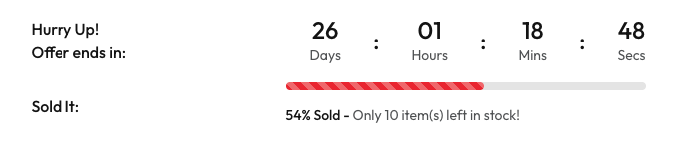


Product Countdown Timer
Configure countdown timers and stock progress indicators to create urgency and encourage purchases.
These settings are configured individually for each product in the product edit page. Go to Products → All Products, edit a product, and navigate to the Advanced tab to configure the countdown timer settings.
Settings
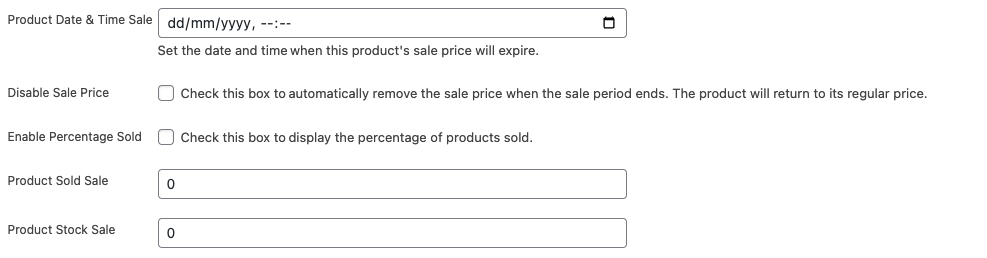
Product Date & Time Sale:
Set the date and time when the product's sale price will expire (format: dd/mm/yyyy, --:--).
Disable Sale Price:
Automatically remove the sale price when the sale period ends. The product will return to its regular price.
Enable Percentage Sold:
Display the percentage of products sold to create social proof and urgency.
Product Sold Sale:
Enter the initial number of products sold. This number automatically increases in real-time as customers make purchases. Used to calculate percentage sold and display progress.
Product Stock Sale:
Enter the total stock quantity available. When Product Sold Sale reaches Product Stock Sale (stock is full), the countdown timer automatically disables and hides from the product page.
Frontend Display