


Be Give Form Button
The Be Give Form Button widget allows you to add a donation button anywhere on your website, providing visitors with a quick and convenient way to access a GiveWP donation form.
This widget is perfect for highlighting important calls-to-action such as Donate Now, Support Our Cause, or Make a Contribution. When clicked, the button can either open the donation form in a popup modal or redirect users directly to the donation page.
The Be Give Form Button widget helps increase engagement and encourages visitors to support your campaigns by making the donation process simple and accessible.
Key Features
- Display a donation button linked to a GiveWP form
- Option to open the donation form in a popup modal or redirect to the form page
- Fully customizable with Elementor styling controls
- Ideal for header sections, campaign pages, or call-to-action areas
- Seamlessly integrates with GiveWP donation forms
Frontend Example
Below is an example of how the Be Give Form Button widget appears on the frontend of your website.

Clicking the button can open a donation form in a popup modal:
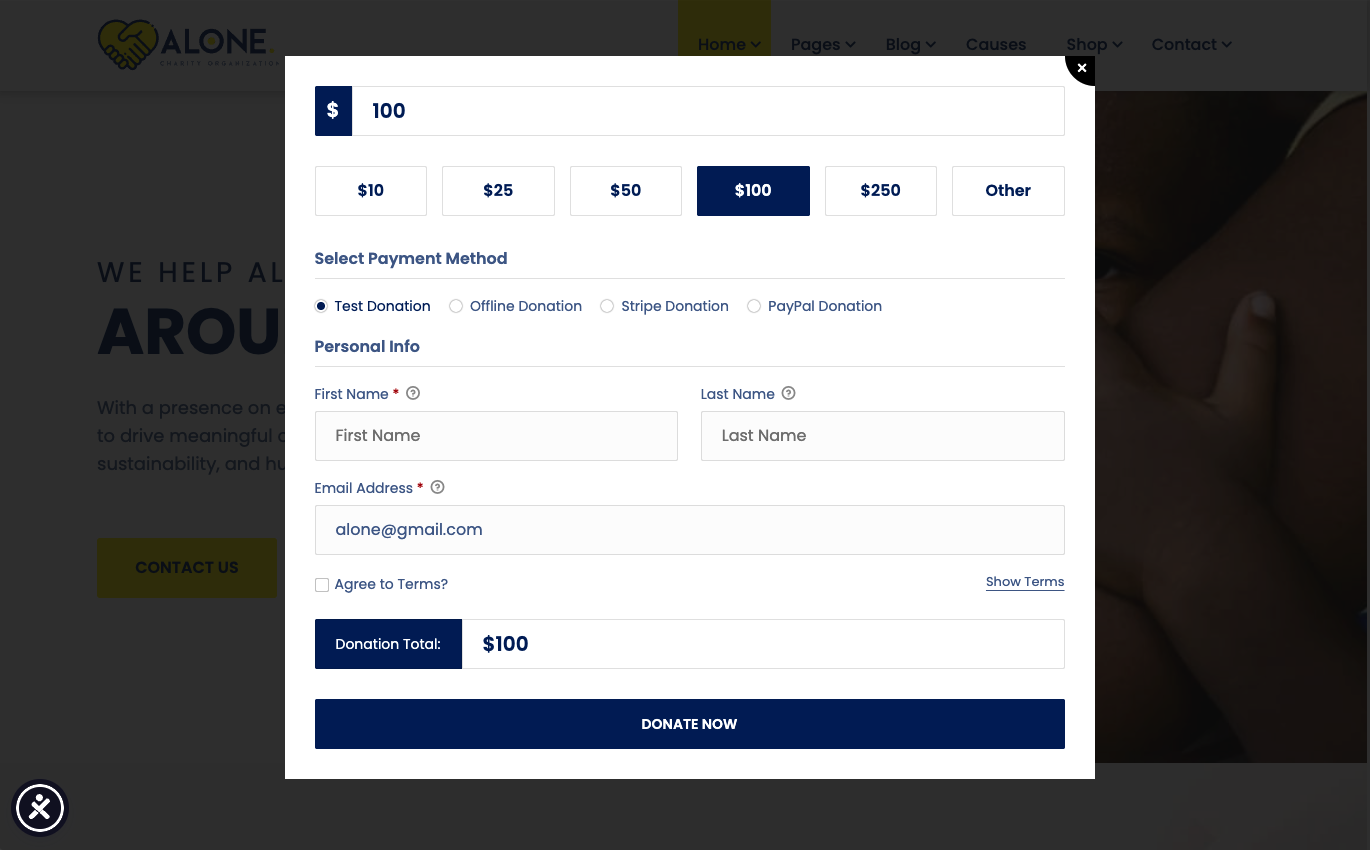
This layout typically includes:
- Call-to-action donation button
- Popup donation form (optional)
- Quick access to support the campaign
Backend Settings
The widget provides several configuration options within the Elementor editor, allowing you to control how the donation button works.
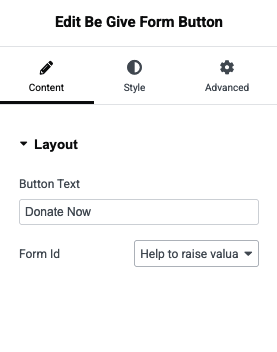
Available Options
- Select Donation Form – Choose the GiveWP form that the button will trigger
- Button Text – Customize the call-to-action text (e.g., Donate Now)
- Popup Mode – Enable a popup modal for the donation form
- Redirect Option – Redirect visitors directly to the donation form page
- Style Controls – Adjust button color, typography, spacing, and hover effects using Elementor controls
💡 Tip:
Place the Be Give Form Button in highly visible areas such as the homepage hero section, header, or campaign pages to encourage visitors to donate quickly and easily.